Sales Force Automation Software to Streamline Sales and Increase Productivity
As most sales teams, the most challenging issue is not getting consumers. It keeps track of everything that happens between the initial lead and the final transaction.
Sales representatives may spend hours updating spreadsheets, recording customer visits, checking follow-ups, and preparing daily reports. Managers may know that their teams are active in the field but still struggle to get a clear picture of which leads need attention, which opportunities are progressing, and where sales activities are being delayed.
This is where sales force automation software can make a practical difference. It helps businesses organize sales activities, reduce repetitive administrative work, manage customer information, track follow-ups, and give sales managers better visibility into their teams.
For Indian businesses managing field sales representatives, multiple territories, distributors, or customers across different cities, having sales information in one organized system can make everyday sales management more efficient.
What Is Sales Force Automation Software?
Sales force automation software is a technology solution that automates and organizes repetitive sales activities such as lead management, follow-ups, customer tracking, sales reporting, and sales activity monitoring.
Instead of depending heavily on spreadsheets, phone messages, handwritten notes, or separate files, sales teams can manage important sales information through a centralized system.
For example, a field sales representative visiting customers in Chennai, Bengaluru, or Mumbai can record customer interactions and update sales activities without waiting until the end of the day to reconstruct everything from memory.
Managers can use the available information to understand sales progress, follow-up requirements, customer activity, and pipeline movement more efficiently.
Why Do Sales Teams Need Automation?
Manual sales processes can work when a business has a small team and a limited number of customers. As the business grows, however, managing the same process manually becomes more difficult.
Common problems include:
- Customer information being stored in different places
- Missed or delayed follow-ups
- Sales representatives spending too much time preparing reports
- Managers receiving sales updates late
- Limited visibility into field activities
- Difficulty tracking opportunities across territories
- Repetitive administrative tasks
- Inconsistent sales processes between team members
Consider a sales manager responsible for a team working across several cities. A representative may complete multiple customer visits during the day, but the manager may not have a clear view of those activities until a report is submitted.
Automation helps bring these activities into a structured workflow, allowing the sales team to spend less time managing information manually and more time interacting with customers.
How Sales Force Automation Software Improves Productivity
The main value of sales automation is not simply reducing paperwork. It is helping salespeople and managers use their working time more effectively.
1. Reduce Administrative Work
Sales representatives often have to update customer details, prepare activity reports, record meetings, and maintain follow-up lists.
A centralized system can reduce the amount of repetitive data handling involved in these activities. This allows representatives to focus more attention on customer conversations, product discussions, and opportunities.
2. Improve Follow-Up Management
A potential customer can easily be forgotten when follow-ups are maintained through notebooks, spreadsheets, or personal reminders.
Sales automation provides a structured way to manage follow-up activities. Teams can keep track of customer interactions and identify the next action required.
This is particularly useful when representatives manage many prospects simultaneously.
3. Centralize Customer Information
Scattered customer information makes it difficult for sales teams to understand the complete customer history.
A centralized sales system can bring relevant lead, customer, interaction, and opportunity information together. When a salesperson or manager needs an update, they can work from the information available in the system rather than searching through multiple files.
4. Improve Sales Visibility
Sales managers need more than final monthly numbers. They also need visibility into ongoing activities.
Sales activity tracking can help managers understand what is happening across their teams and territories. This can support more informed discussions about pipeline movement, follow-ups, customer visits, and sales priorities.
5. Support Better Sales Reporting
Preparing reports manually can take considerable time, especially when information comes from multiple salespeople.
A sales automation platform can organize sales information so managers can review activities and progress more efficiently. Better reporting also helps identify areas that require attention before they become larger operational issues.
Key Features to Look for in Sales Force Automation Software
Every business has different sales processes, so the right solution should match the way the sales team actually works.
Important capabilities to consider include:
Lead and Customer Management
The system should help teams organize leads and customer information so representatives can access relevant details when required.
Sales Activity Tracking
For field-based teams, tracking customer visits, interactions, and other sales activities can provide managers with greater visibility into daily operations.
Follow-Up Management
Look for workflows that help salespeople organize upcoming follow-ups and maintain continuity with prospects and customers.
Sales Pipeline Visibility
A clear view of opportunities helps representatives and managers understand where prospects are in the sales process and which opportunities require attention.
Sales Reporting
Reporting should make it easier to review sales activities, progress, and team performance without depending entirely on manually prepared spreadsheets.
Mobile-Friendly Access
For field sales teams, access from mobile devices is particularly important. Representatives should be able to work with sales information while moving between customer locations rather than depending entirely on office-based systems.
How Indian Businesses Can Use Sales Management Software
Indian businesses often operate across multiple cities, regions, and customer segments. A company may have representatives visiting retailers, distributors, dealers, corporate customers, or other businesses across different territories.
This makes centralized sales management particularly useful.
For example, imagine a company with sales representatives covering Tamil Nadu, Karnataka, Maharashtra, and other regions. Each representative may have different customer visits and follow-up requirements.
Using sales management software India businesses can organize sales activities in a more structured way while giving managers a common view of sales operations.
A manager working from a central office can review available sales information from different territories instead of depending entirely on individual calls or end-of-day messages.
The same approach can benefit businesses with regional teams, distributor networks, and field representatives who spend most of their working day outside the office.
Sales Force Automation vs. Traditional Sales Management
Traditional sales management often depends on spreadsheets, phone calls, email updates, notebooks, and manually prepared reports.
These methods are not necessarily wrong, but they become harder to manage as the sales operation grows.
With an automated approach, information can be organized within a central system.
| Traditional Approach | Automated Approach |
| Multiple spreadsheets | Centralized sales information |
| Manual follow-up tracking | Structured follow-up management |
| Delayed reporting | More accessible sales information |
| Limited field visibility | Better activity visibility |
| Repetitive data entry | Automated sales workflows |
| Difficult team monitoring | Centralized sales activity tracking |
A salesforce management system should therefore be viewed as a way to improve the sales process, rather than simply replacing spreadsheets.
Similarly, effective sales software management should support the people and processes behind sales—not add unnecessary complexity.
How PACT Revenue Can Support a More Efficient Sales Process
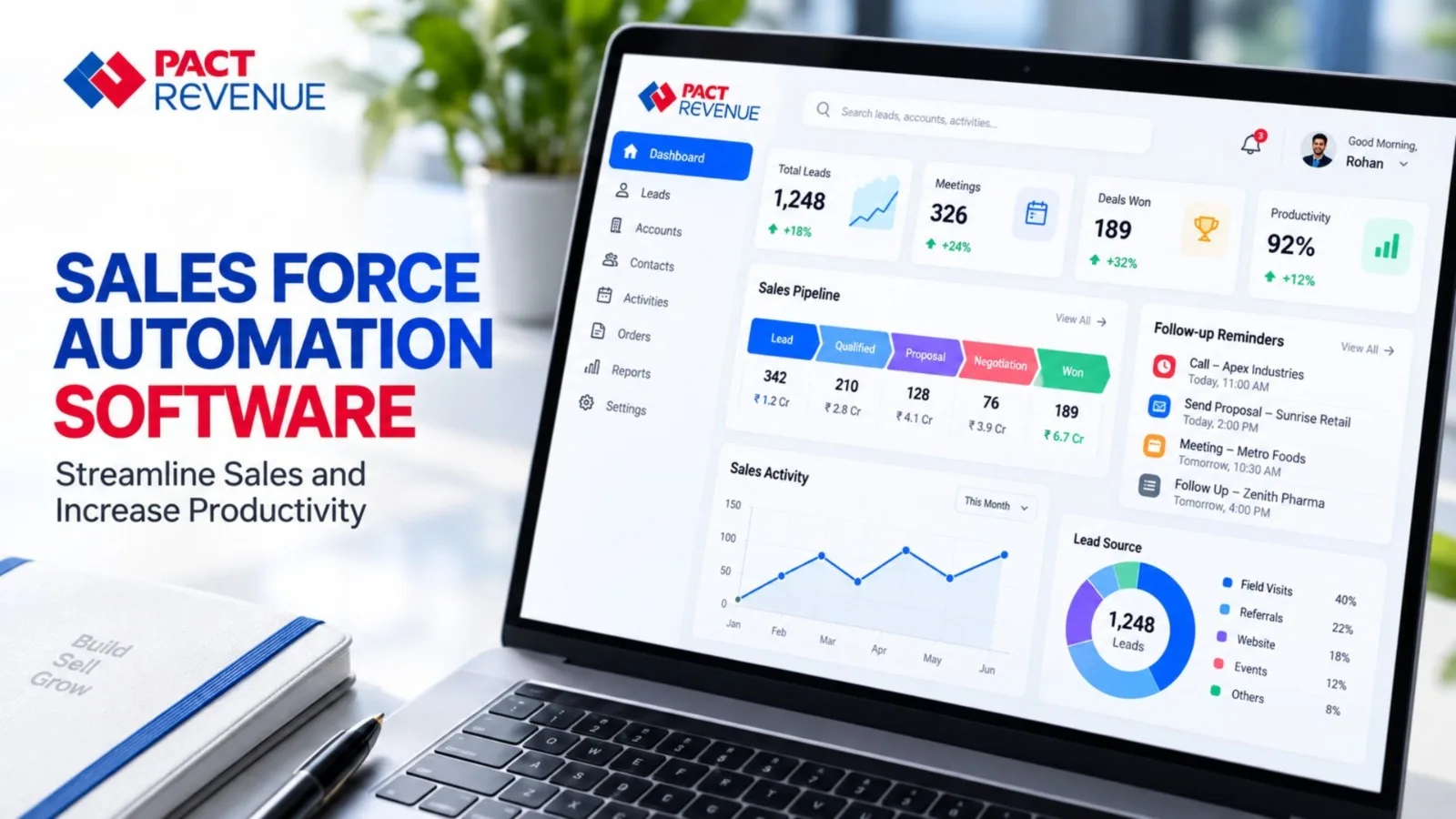
PACT Revenue is designed around the practical requirements of managing sales operations. For businesses looking to organize customer information, sales activities, follow-ups, field operations, and reporting, a sales force automation approach can help create a more structured workflow.
Instead of relying on separate tools for every sales activity, businesses can consider a centralized best sales management environment that gives representatives and managers access to the information they need.
For a sales manager, this can mean better visibility into ongoing activities. For representatives, it can mean less time spent maintaining separate records and more time available for customer-facing work.
The objective should not be automation for its own sake. The right system should make everyday sales processes easier to manage and give teams useful information when they need it.
How to Choose the Right Sales Automation Solution
Before selecting a sales automation platform, businesses should evaluate how well the solution fits their existing sales process.
Consider these questions:
- Does it support your sales workflow?
The software should match how your team manages leads, customers, visits, opportunities, and follow-ups. - Can field representatives use it easily?
If your sales team works outside the office, mobile accessibility and ease of use are important considerations. - Does it provide useful visibility for managers?
Managers should be able to access relevant sales activity and pipeline information without depending completely on manual updates. - Can it grow with your business?
Consider whether the solution can support additional users, territories, customers, and changing sales processes as the business expands. - Does it solve a real business problem?
Avoid selecting software simply because it has a long feature list. Focus on the specific issues your sales team wants to solve. - Is the information organized and accessible?
A system is valuable only when salespeople can use the available information effectively in their daily work.
Conclusion
Sales teams need visibility, consistency, and time to focus on customers. When too much of that time is spent updating spreadsheets, preparing reports, searching for customer information, or remembering follow-ups, sales productivity can suffer.
Sales force automation software provides a structured way to manage sales activities, customer information, follow-ups, field operations, pipeline visibility, and reporting.
For Indian businesses with distributed sales teams or field representatives, automation can help create a more connected sales process while giving managers better visibility into daily operations.
The right solution should not make sales more complicated. It should reduce unnecessary manual work and help salespeople and managers work with clearer information.
If your business is looking to bring sales activities, customer management, follow-ups, and reporting into a more organized workflow, explore PACT Revenue and consider how sales automation can fit your current sales process.
Frequently Asked Questions
1. What is sales force automation software?
Sales force automation software helps businesses automate and organize repetitive sales activities such as lead management, customer tracking, follow-ups, sales activity monitoring, pipeline management, and reporting. It provides a structured environment where sales representatives and managers can manage important sales information more efficiently.
2. How does sales automation improve sales productivity?
Sales automation can reduce repetitive administrative work and help representatives manage customer information, activities, and follow-ups in one system. By spending less time maintaining separate records and preparing manual updates, salespeople can dedicate more time to customer interactions and sales opportunities.
3. Is sales force automation useful for field sales teams in India?
Yes. Field sales teams can benefit from having a centralized way to manage customer visits, sales activities, follow-ups, and reporting. This can be especially useful for businesses whose representatives work across multiple cities, territories, distributors, dealers, or customer locations.
4. What features should businesses look for in sales automation software?
Businesses should consider features such as lead and customer management, sales activity tracking, follow-up management, pipeline visibility, sales reporting, team monitoring, and mobile accessibility. The most important consideration is whether the software supports the company’s actual sales process and solves its operational challenges.
5. When should a business consider implementing sales automation?
A business should consider sales automation when manual processes start making sales management difficult. Signs can include missed follow-ups, scattered customer information, delayed reports, limited visibility into field activities, repetitive administrative work, or difficulty managing a growing sales team across different territories.